A reading ruler for PDFs
Long PDFs are where it's easiest to lose your place: research papers in two columns, reports, books. Reading Pencil reads them line by line, at your pace, and keeps your place to the line.
Add Reading Pencil to Chrome Free, from the Chrome Web Store
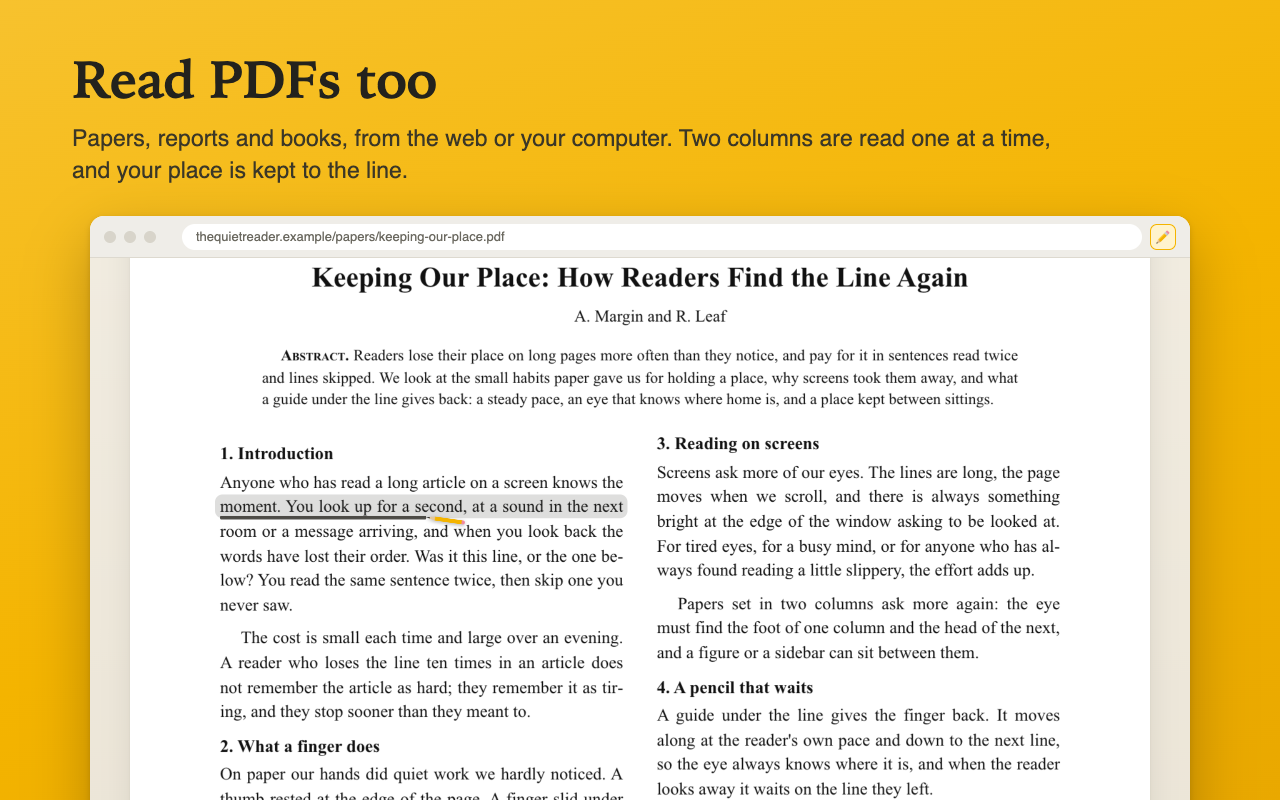
Why most reading rulers stop at a PDF
Chrome shows PDFs in a viewer of its own, and that viewer lets no extension draw on its pages. So a reading ruler that works on web pages simply isn’t there when you open a PDF.
Reading Pencil opens the PDF in a page of its own instead, inside the extension, and reads it there.
How to read a PDF with it
- Open the PDF in Chrome, the way you always do.
- Turn Reading Pencil on: click its icon and turn the switch on, or press Alt+Shift+R (on a Mac, Control+Shift+R). The PDF opens in Reading Pencil’s page, and the pencil waits on the first line.
- Press Space. The pencil moves along the line at your pace, then down to the next. Space again pauses it.
A PDF on your computer: click the Reading Pencil icon, choose Read a PDF from your computer, and pick the file. Chrome only lets an extension open files you choose yourself, which keeps your files safe.
Two columns, in the right order
Papers set in two columns are read the way they are meant to be: down the first column, then the second. Page numbers and the headings repeated at the top and foot of each page are left out, so the pencil stays with the text.
Your place, kept to the line
Close the tab halfway through a paper. Next time, open it from Where you left off in the toolbar window, and it opens at the line where you stopped. A PDF from your computer is listed there too; choose the file again and you’re back on your line.
Go to a page
The bar at the top shows the page you’re on. Type a page number and press Enter, and the pencil goes to that page’s first line and waits there.
Good to know
- Scanned PDFs (pictures of pages, with no words in them) can’t be read: there are no lines for the pencil to follow.
- Tables are read column by column, and a figure’s labels where they sit.
- Nothing you read leaves your computer. The PDF is downloaded from its own address, as Chrome itself would.
It’s free, with no account and no tracking. How to use Reading Pencil covers the rest.